
Cloud or on-premises remote support product from ConnectWise, used by help desks and managed service providers
TR
Remote Support Software
TeamViewer Remote
New· 6TeamViewer's product for connecting to and supporting computers and phones, with AI troubleshooting built in
By TeamViewer
About TeamViewer Remote
IT teams and support desks use TeamViewer Remote to reach other people's computers, and their own, from wherever they are. TeamViewer, headquartered in Göppingen, Germany, makes this remote access and support product. Typical uses are supporting colleagues and customers on devices they own, reaching computers, servers and kiosks that nobody is sitting at, and working on an office machine from another location.
Devices and connection options
Supported platforms include Windows, macOS and Linux, plus ChromeOS, Android, iOS, iPadOS and Raspberry Pi, and a session can also be started from a web app in the browser. Taking control of Android and iOS devices costs extra. Plans include custom branding, remote printing and file transfer, along with session recording and playback and a switch-sides option that hands control to the other participant. The team plans add connection reporting and mass deployment.
AI for troubleshooting and documentation
Recent releases add an AI assistant called Tia, which draws on information about the endpoint and on live diagnostics to look into problems, work out likely causes and steer the fix. A feature named Session Insights produces structured summaries of support sessions automatically, so technicians spend less time on repetitive write-ups. The AI features are paid for with a monthly allowance of AI credits.
Control and security
TeamViewer describes centralised permissions, policies and authentication for remote operations. On security, TeamViewer cites RSA-4096 key exchange, AES-256 encryption of sessions and two-factor authentication, and its trust centre shows certification to ISO/IEC 27001 along with SOC 2 and SOC 3 reports. Larger organisations can move to TeamViewer's enterprise platform, Tensor, which adds single sign-on, conditional access, audit logs and an API. Plans scale from a single user with a few managed devices up to corporate tiers with many users and concurrent channels, with prices that vary by region.
TrustList summary
TeamViewer Remote is a product from TeamViewer, a company based in Göppingen, Germany. It lets people help colleagues and customers on their own devices, reach unattended computers and servers, and work on an office machine from elsewhere. Its AI assistant and session summaries are part of the product.
What TeamViewer Remote offers
- Remote support: helps users and customers on their devices, with AI troubleshooting through the Tia assistant.
- Unattended access: reaches computers, servers and kiosks without someone present.
- Session tools: file transfer, remote printing, session recording and playback, switching sides, and custom branding.
- Session insights: documents support sessions automatically as structured summaries.
- Team options: connection reporting and mass deployment on the team plans.
Clients
Individuals, small teams and IT departments, including internal IT staff who support colleagues and outside customers.
Key facts
- Based in: Göppingen, Germany.
- Platforms: Windows, macOS, Linux, ChromeOS, Android, iOS, iPadOS and Raspberry Pi, plus a web app. Controlling Android and iOS devices is a paid add-on.
- Security: RSA-4096 key exchange with AES-256 encryption for sessions, plus two-factor sign-in.
- Certifications: ISO/IEC 27001, SOC 2 and SOC 3, as listed on the trust centre.
Summary written by TrustList from the business's own published information, Nov 2026.
Categories & features
Trust Score
6/ 100
Trust Score: New
An earned signal from verification, reviews, awards, transparency and engagement - the vendor can't buy it.
Verification
0/100 · 20%
Reviews
0/100 · 30%
Awards
0/100 · 15%
Transparency
30/100 · 20%
Engagement
0/100 · 15%
Joining soon
Recommendations
Coming soon
Complaints
Coming soon
Updated 9/30/2026
TeamViewer Remote rankings
TeamViewer Remote is ranked on 7 TrustList rankings: #1 on 2 and #3 on 5.
Every ranking orders its listings by their reviews, how complete the profile is and the Trust Score. TeamViewer Remote has no reviews yet, 3 of the 10 profile details we look for and a Trust Score of 6. Where no listing on a page has been reviewed, the order follows the profiles alone.
Remote support software · 7 rankings
On 2 of these it sits ahead of ScreenMeet.
- #1of 11Screen sharing
It is the only one of the 11 here listing single sign on and two-factor authentication.
Of the 11 here, 10 also cover session recording and 8 also cover file sharing.
Behind LiteManager, ahead of ScreenMeet.
- #1of 11Iphone ipad
It is one of 6 here listing Reporting/Analytics and one of 7 here listing screen sharing.
Of the 11 here, 9 also cover real-time chat and 8 also cover remote access; 2 also work in United States.
Behind LiteManager, ahead of Splashtop Remote Support.
- #3of 15Session recording
It is one of 9 here listing remote access and one of 12 here listing android.
Its profile: “Plans include custom branding, remote printing and file transfer, along with session recording and playback and a switch-sides option that hands control to the other participant.”
Of the 15 here, 12 also cover android and 10 also cover screen sharing.
- #3of 15Installed windows
It is one of 11 here listing file sharing and one of 14 here listing session recording.
Ahead of Onsight.
- #3of 12File sharing
It is one of 4 here listing two-factor authentication and one of 5 here listing single sign on.
Of the 12 here, 7 also cover session transfer.
- #3of 12Android
It is one of 4 here listing two-factor authentication and one of 5 here listing single sign on.
Its profile: “Supported platforms include Windows, macOS and Linux, plus ChromeOS, Android, iOS, iPadOS and Raspberry Pi, and a session can also be started from a web app in the browser.”
Of the 12 here, 7 also cover Reporting/Analytics.
- #3of 13Installed mac
It is one of 4 here listing two-factor authentication and one of 5 here listing single sign on.
Ahead of iSupport.
As of 2026-11-16. Organic ranks only; sponsored placements are never ranks. How TrustList ranks
What the business tells TrustList
- Stability: major incidents
- 3 incidents measured
- Security certifications
- ISO 27001 evidence sent
Request a demo or quote from TeamViewer Remote
Reviews
Write the first review of TeamViewer Remote
Used it? Your experience helps other buyers decide.
Write a reviewQuestions & answers
No questions yet. Be the first to ask about TeamViewer Remote.
TeamViewer Remote alternatives
Similar listings buyers compare against this one.
Unified endpoint management platform from GoTo for remote support, monitoring, patching and helpdesk work
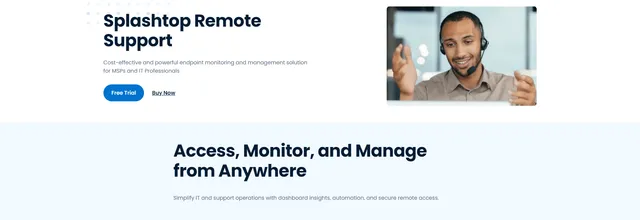

Remote support and endpoint management software for MSPs, IT teams and help desks supporting client computers
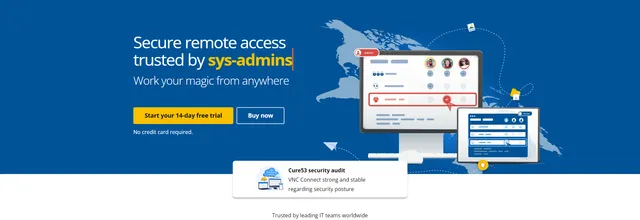

Remote access and support software for IT teams and businesses, with a developer SDK for embedding
Cloud-based remote support and unattended access tool from Zoho for help desks and managed service providers


Remote access and remote support software for PCs, Macs, Linux and mobile devices, for individuals and business teams
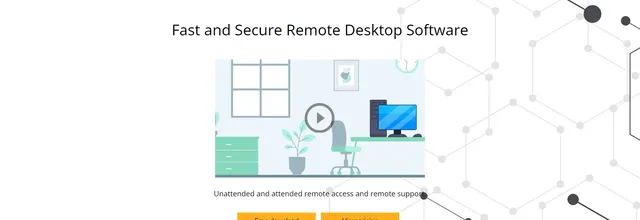

Remote desktop software for controlling and supporting Windows computers, with file transfer and domain tools

Remote control and monitoring software for managing computers across local and wide area networks
Related reading
Articles that share the Germany tag or mention this listing.
 Germany
28 Oct 2026
TeamViewer 15.83 fixes nine flaws in its clients and management add-ons
Two of the nine run code on a viewer that connects to a hostile machine or opens a crafted recording; six let a local user reach SYSTEM or…
 Germany
27 Oct 2026
Siemens fixes a SAML replay flaw in the Mendix single sign-on module
A captured login response could be replayed to get into a Mendix app that accepts identity-provider-initiated sign-on. Update the SAML…
 Germany
30 Sept 2026
TeamViewer fixes five vulnerabilities, including a remote session access-control bypass: update Full Client and Host to 15.82
TeamViewer’s bulletin TV-2026-1010 of 29 September 2026 fixes five flaws in Full Client and Host, rated up to CVSS 8.8, one a session…
Keep exploring
More on TrustList
Everything here links back to the same verified catalogue. Pick your next stop.
- Write a reviewHelp other buyers decide
- CompaniesAgencies, consultancies and IT service providers, ranked by verified reviews.
- ArticlesGuides, comparisons and research from the editorial desk and the community.
- AwardsAnnual recognition decided by verified reviews and an independent jury.
- LaunchesNew products and releases, voted up by the community every day.
- AI ModelsBenchmark scores and community ratings for every major model.
- RequestsBuyers describe what they need; vendors respond directly.
- PeopleReviewers, authors and makers with public profiles.
- ComparePut up to four listings side by side before you shortlist.