

Video and web conferencing service for company teams, with meetings that start without codes or passwords

Web Conferencing Software
BigBlueButton
Open source virtual classroom software for teachers and online learning providers
- Session Recording
- Online
- Business Hours
- Documentation
- +18 more

About BigBlueButton
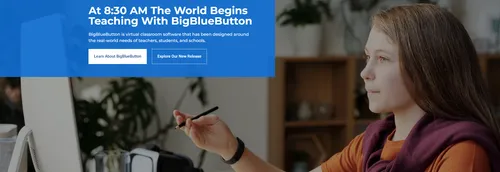
Built for online learning, BigBlueButton is open source web conferencing software. The software has classroom roots, and its development began in 2007 within a programme at Carleton University in Ottawa, Canada. The project puts teachers and learners at the centre rather than general business meetings, and says it is used by schools, colleges and government bodies.
Teaching tools inside the virtual classroom
The system shares audio, video, slides, chat and screens in real time, and it is designed for a classroom where every learner can take part. Students can respond with emoji icons and in polls, and teachers can split a class into breakout rooms. A multi-user whiteboard and easy group polling help keep students focused on the lesson, while screen sharing supports demonstrations.
Assessment and engagement
Built-in visual assessment tools help teachers check understanding during a session. Live analytics show which students are engaging and which are struggling, so that a teacher can respond during the lesson. The company says the platform is built upon pedagogy, which separates it from general virtual conferencing systems.
Integrations and sectors served
Learning management systems including Canvas, Moodle Cloud, Sakai, Jenzabar, D2L and Schoology have adopted BigBlueButton as their default virtual classroom, according to the project. Its application programming interface is simple enough for other products to connect to it. A worldwide network of developers and commercial companies provides support and continues to develop the software. The platform serves K-12 schools, higher education and government.
Running your own server
Organisations can set up their own BigBlueButton server and customise the virtual classroom to suit their needs. The project provides resources for that purpose and publishes news about new releases, tips and customisations through its newsletter. Because the software is open source, an organisation can choose where and how it runs.
TrustList summary
BigBlueButton is an open source web conferencing system built for online learning. It was developed in a school setting and is designed around the needs of teachers and students rather than general business meetings.
Main features
- Live sharing: audio, video, slides, chat and screen sharing in real time.
- Engagement tools: emoji reactions, polling and breakout rooms.
- Assessment tools: built-in visual tools for applied learning.
- Live analytics: show which students are struggling or doing well.
- Customisation: resources for adapting virtual classrooms to a school's needs.
Clients
The platform serves schools, colleges and other educational organisations. A network of developers and companies provides commercial support, and it works with learning systems such as Canvas.
Key facts
- Licence: Open source
- Languages: Available in 55
- Origin: Developed in a school
Summary written by TrustList from the business's own published information, Nov 2026.
Gallery
2 images - click to enlarge
Categories & features
- Session Recording
- Online
- Business Hours
- Documentation
- Web-Based, Cloud, SaaS
- Installed - Windows
- Parent / Student Portal
- Raise Hand
- LMS Integration (LTI)
- Interactive Whiteboard
- Breakout Rooms
- Polls/Voting
- Two-Way Audio & Video
- Presentation Streaming
- On-Demand Webcasting
- HD Audio
- Electronic Hand Raising
- Video Conferencing
- File Sharing
- Real-time Chat
- Presentation Tools
- Screen Sharing
Request a demo or quote from BigBlueButton
Reviews
Write the first review of BigBlueButton
Used it? Your experience helps other buyers decide.
Write a reviewQuestions & answers
No questions yet. Be the first to ask about BigBlueButton.
BigBlueButton alternatives
Similar listings buyers compare against this one.


Event management platform covering registration, mobile apps and virtual, hybrid and in-person events


Open source video conferencing software for web and mobile that can be self-hosted or embedded in apps


Browser-based video meeting and embeddable video call software for teams, individuals and product builders


Cloud communications and collaboration platform combining voice, video, messaging and content sharing for enterprises


Free conference calling and online meeting service with video, screen sharing and recording


Google video meeting service that runs in a web browser on computers and mobile devices
Related reading
Articles that share the Session Recording tag or mention this listing.
 United States of America
9 Nov 2026
Apple will scan iCloud items shared by open link from version 27.3
Items shared with Anyone with the Link lose end-to-end encryption even under Advanced Data Protection, and Apple can disable the account…
 United States of America
5 Nov 2026
Dropbox plans to buy object storage firm Tigris Data
Tigris says its product, S3-compatible API, zero-egress pricing and team stay the same. Dropbox will use it to start DBX Agent Cloud,…
 Speech Recognition
29 Oct 2026
Deepgram buys Daily and moves Pipecat to an independent foundation
Daily, a 2016 Y Combinator alumnus like Deepgram, built the open-source Pipecat voice agent framework; Deepgram will sell and support…
Keep exploring
More on TrustList
Everything here links back to the same verified catalogue. Pick your next stop.
- Write a reviewHelp other buyers decide
- CompaniesAgencies, consultancies and IT service providers, ranked by verified reviews.
- ArticlesGuides, comparisons and research from the editorial desk and the community.
- AwardsAnnual recognition decided by verified reviews and an independent jury.
- LaunchesNew products and releases, voted up by the community every day.
- AI ModelsBenchmark scores and community ratings for every major model.
- RequestsBuyers describe what they need; vendors respond directly.
- PeopleReviewers, authors and makers with public profiles.
- ComparePut up to four listings side by side before you shortlist.