


Windows backup software for files, drive images, databases and virtual machines

Windows backup software for files, disk images, servers and virtual machines, with a basic edition and commercial editions
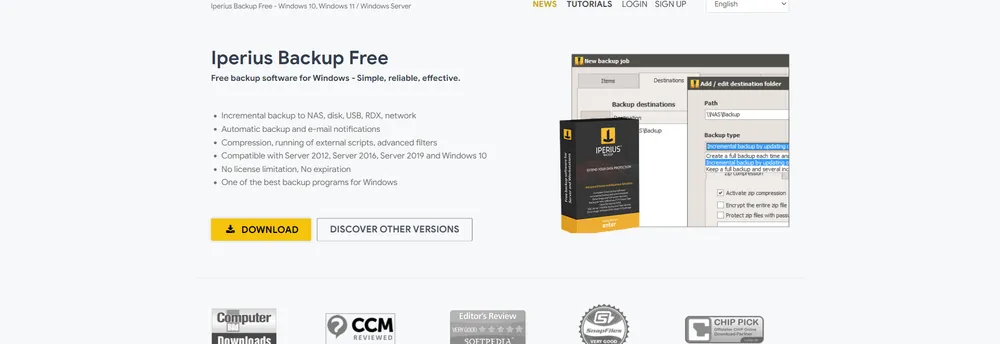
Iperius Backup is backup software for Windows that its maker offers in a free version and in commercial editions for companies needing more advanced functions. The free version is described as having no licence limit and no expiry, and it runs on desktop systems from Windows 7 through Windows 11 as well as on server systems from the 2003 and 2008 generations up to Server 2022.
The free edition copies files and folders to any mass storage device: NAS units, external USB drives, RDX cartridges and other computers on the network. It supports full, incremental and differential backups, can keep several backup copies, and applies zip compression with no limit on archive size, file count or path length. Advanced filters let a user exclude particular files or folders, and external scripts and other applications can be run as part of a job. The number of backup jobs is unlimited.
Jobs can be planned for particular days and times, with several schedules set by day of the month or day of the week and at different times. Each run is logged in an HTML report, and the free edition includes the same email notification options as the paid ones, so one or more recipients can be told after every backup.
The wider product line, as the page describes it, reaches into drive image backup and disk cloning, including physical-to-virtual conversion, backup of VMware ESXi and vCenter, backup of Exchange Server and Microsoft 365, backup to tape, and uploads to cloud storage over S3 or FTP. Centralised management and monitoring is offered for IT teams looking after many machines. The same vendor also publishes a remote desktop and remote support tool, Iperius Remote.
The software is described as lightweight, with very low resource use, and portable.
Iperius Backup is backup software for Windows desktops and servers. It has a basic edition at no charge and commercial editions for companies that need more advanced functions.
Summary written by TrustList from the business's own published information, Nov 2026.
2 images - click to enlarge
Used it? Your experience helps other buyers decide.
Write a reviewNo questions yet. Be the first to ask about Iperius Backup.
Similar listings buyers compare against this one.
Windows backup software for files, drive images, databases and virtual machines

Synology package for running Windows, Linux and other virtual machines on a Synology NAS

Backup and recovery software for vSphere and Hyper-V virtual machines, part of the Veeam Data Platform

Private cloud infrastructure and dedicated hardware control for small and medium businesses worldwide

Cloud server hosting in Asia and the US with standard, high-memory and high-storage plans

Developer-focused cloud platform for virtual servers, databases, app hosting and AI workloads

Cross-platform virtualisation application for running several operating systems on one machine

Virtualisation software for running several operating systems at once, from a developer now focused on mobile apps
Articles that share the Local Server Options tag or mention this listing.
 United States of America
9 Nov 2026
Items shared with Anyone with the Link lose end-to-end encryption even under Advanced Data Protection, and Apple can disable the account…
 United States of America
7 Nov 2026
A network move in February 2025 exposed a validation archive, and one account read it for about five days in 2026. A small minority of…
 Maryland
6 Nov 2026
Sellers can earn up to $150 million more on revenue milestones through January 2028. Elisity, founded in 2019, keeps its teams and platform…
Everything here links back to the same verified catalogue. Pick your next stop.


