


On-premises Microsoft toolset for sharing code, tracking work and shipping software

Distributed source control tool for software projects of any size
By Mercurial

Developers who want to track changes to a project of any size can use Mercurial, a free source control management tool built on a distributed model. Its project presents it under the slogan of working easier and working faster, and it offers an intuitive interface on top of a distributed model.
Every clone of a Mercurial repository holds the whole project history. Most actions therefore run locally, which makes them fast and convenient, and work does not depend on a constant connection to a central server. The project calls this decentralized model out in a short overview for newcomers.
The project says Mercurial copes with projects of any size and kind. It supports a multitude of workflows, from simple ones to more elaborate arrangements, and its behavior can be enhanced through extensions. That combination lets teams start with the defaults and add what they need later.
Documentation includes a simple guide to versioning documents and a quick start for getting going at once. The basic commands are short: a user adds new files, commits with a message, initializes a project directory with a single command and makes an initial commit, or clones an existing project and pushes changes. The project claims that most tasks work on the first try without requiring specialist knowledge, and that Mercurial tries to deliver on each of its promises.
The tool offers capable committing, merging and branching for software developers. These are the operations teams use most when several people change the same code, and the project positions them as straightforward rather than a source of friction.
Mercurial is for software developers and anyone who needs to revision documents. It is offered as a free tool, and its community maintains the guide, quick start and extension list on the project site. Its pitch is simplicity, speed and flexibility, with a distributed model that treats each clone as a full copy of the history.
Mercurial is a distributed source control management tool. The project describes it as fast, easy to learn and capable of handling projects of any size, with an intuitive interface. The project says most tasks should work on the first try without specialist knowledge, and that the tool is meant to keep its promises in everyday use.
Summary written by TrustList from the business's own published information, Nov 2026.
Used it? Your experience helps other buyers decide.
Write a reviewNo questions yet. Be the first to ask about Mercurial.
Similar listings buyers compare against this one.
On-premises Microsoft toolset for sharing code, tracking work and shipping software

Configuration management software from IBM for tracking changes and controlling access to enterprise software assets

Digital business card platform for teams, with caller ID and CRM sync

Version control system for art, design and animation teams working with large binary files

SQL Server Management Studio add-in that puts database schemas under version control

Version control and bug tracking system for development teams, built to replace Visual SourceSafe

Code analysis tool that shows code health, technical debt and team knowledge risks
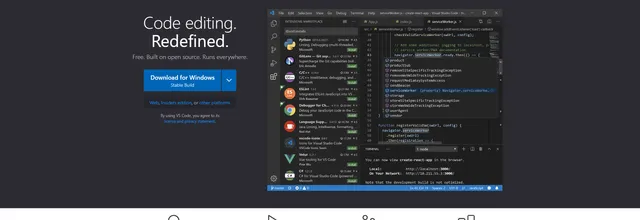
Open source code editor for developers on Linux, macOS and Windows, with built-in AI agent support
Articles that share the Version Control tag or mention this listing.
 Cybersecurity
10 Nov 2026
CVE-2026-111760 lets a malicious repository plant hooks through a submodule during a recursive clone. Fixes are backported to every release…
 United States
5 Oct 2026
Cloudflare says it will begin billing for Artifacts, its Git-compatible versioned storage for AI agents in open beta on the Workers Paid…
 United States
1 Oct 2026
From 7 October 2026, GHE.com (GitHub Enterprise Cloud with data residency) stops accepting HTTPS clients that offer only X25519 for key…
Everything here links back to the same verified catalogue. Pick your next stop.


