



On-premises Microsoft toolset for sharing code, tracking work and shipping software

Open source code editor for developers on Linux, macOS and Windows, with built-in AI agent support
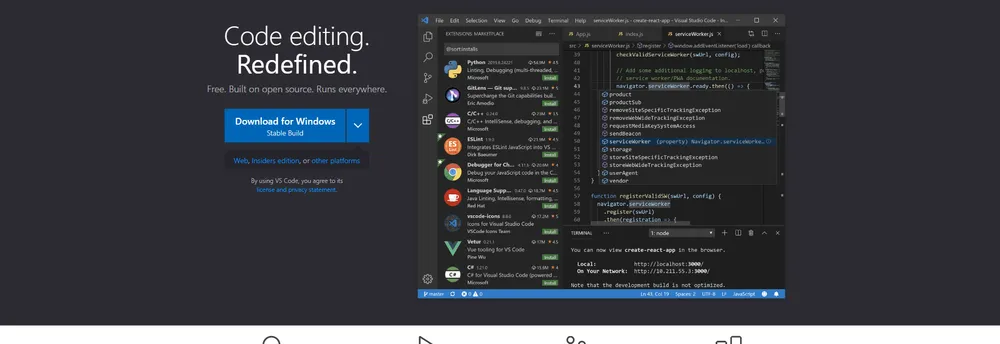
Developers on Linux, macOS and Windows, and in a browser for quick edits, write code in an open source editor called Visual Studio Code. The editor is built for writing and debugging modern web and cloud applications, and it also has an Insiders build that receives early features. Its current focus is on working with AI coding agents alongside the programmer.
The editor goes beyond syntax highlighting. Its IntelliSense completions read the code around the cursor, including the kind of each variable, what each function expects and which modules have been imported, to suggest what comes next. Language support, themes and other additions come through extensions. The company says extensions run in separate processes, so a heavy extension should not slow the editor itself.
Developers can launch a running program or attach to one that is already running. From there they can set breakpoints, inspect call stacks and use an interactive console without leaving the editor. The company suggests this makes printing values to the console an unnecessary way of tracing faults.
Git and other source control providers are supported. Programmers can review differences, stage files and make commits inside the editor, and push or pull from any hosted service. The Git integration is one of the core features the company highlights for everyday work on shared code.
With Microsoft Azure, developers can deploy and host React, Angular, Vue, Node and Python applications, store and query relational and document data, and scale with serverless computing. The company says these steps can all be carried out from within the editor, and that more languages and services are available from the marketplace.
The current release puts AI agents at the center of the product. Agents can plan, write and debug code, the company says users can choose which model an agent uses, and every agent session appears in one view. Users can set their own rules for how agents work. A browser version offers quick edits to files held in GitHub, Azure Repos or on a local machine.
The editor is free and open source, and runs on Linux, macOS and Windows as well as in the browser. The company notes that the editor sends telemetry data and crash dumps by default to help it improve the product, and that users who prefer not to send that data can turn it off.
Visual Studio Code is an open source code editor that runs on Linux, macOS and Windows. Developers use it to write, run and debug code, and it also has a web version and a separate Insiders build for early features. It now puts a strong focus on working with AI coding agents.
It suits individual developers and teams building web, cloud and general software projects in languages such as Python and JavaScript. A browser version covers quick edits on repositories hosted on GitHub or Azure Repos.
Summary written by TrustList from the business's own published information, Nov 2026.
2 images - click to enlarge
Used it? Your experience helps other buyers decide.
Write a reviewNo questions yet. Be the first to ask about Visual Studio Code.
Similar listings buyers compare against this one.
On-premises Microsoft toolset for sharing code, tracking work and shipping software

Configuration management software from IBM for tracking changes and controlling access to enterprise software assets

Digital business card platform for teams, with caller ID and CRM sync

Version control system for art, design and animation teams working with large binary files

SQL Server Management Studio add-in that puts database schemas under version control

Version control and bug tracking system for development teams, built to replace Visual SourceSafe

Code analysis tool that shows code health, technical debt and team knowledge risks

Open source distributed version control system for software projects of any size
Articles that share the Change Management tag or mention this listing.
 Canada
14 Nov 2026
The sovereign AI company also brings in the team behind cubic, an AI code review platform, and counts four acquisitions this year,…
 Cybersecurity
7 Oct 2026
JetBrains strongly recommends upgrading the self-hosted CI server. The release notes say 41 security problems are fixed in 2026.2.1, with…
 Philippines
15 Nov 2026
The BIR, SEC, DTI, DICT and six other bodies filed notifications after leaks were reported on 5 November. The NPC says reports alone do not…
Everything here links back to the same verified catalogue. Pick your next stop.


