
AI browser where an agent completes web tasks and saves workflows for reuse
R
TrustList summary
One keyboard shortcut on a Mac opens Raycast, a launcher that puts search, tools and an AI assistant in one place. Its download page asks for macOS Tahoe and Apple Silicon, and the navigation also points to iOS and Windows versions, a store, a Pro plan, Teams and Enterprise.
A launcher built around the keyboard
Raycast presents speed, ergonomics and a keyboard-first design as its core principles, and lets people shape the tools to their own habits. It reports a crash-free rate of 99.8 percent. Hotkeys and aliases can be assigned to any command or app, and quicklinks open a chosen page or file from anywhere, so fewer browser tabs stay open.
Extensions for everyday tools
A store of extensions lets people use other apps without opening them. The examples on the page include Linear and Jira for issues, Slack and Zoom, Spotify, Notion, Todoist, Obsidian, 1Password, Google Translate, Google Chrome and Arc for tabs and history, TinyPNG for image compression, CleanShot X for screen captures, and timers and pomodoro controls. Raycast says thousands more are available, grouped under productivity, engineering, design and writing.
Raycast AI
The AI features come in three forms. AI Chat is an agent that works with the tools a person already uses, such as syncing assigned Linear tasks into another task manager. Quick AI sits one hotkey away for tasks like summarising text, drafting a follow-up email or explaining an error. AI Extensions connect everyday tools to the assistant.
Snippets, notes and the rest
Snippets insert repeated text from a short keyword. The page also lists note taking, flight tracking, unit conversion, file search, script running, window management, translation, distraction blocking, text recognition in screenshots and an emoji picker. Raycast Notes captures a thought mid-task, and its community channels count 37 thousand Slack members and 90 thousand followers on X.
Summary written by TrustList from the business's own published information, Nov 2026.
Raycast launches
Categories & features
- Productivity Software
Trust Score
2/ 100
Trust Score: New
An earned signal from verification, reviews, awards, transparency and engagement - the vendor can't buy it.
Verification
0/100 · 20%
Reviews
0/100 · 30%
Awards
0/100 · 15%
Transparency
12/100 · 20%
Engagement
0/100 · 15%
Joining soon
Recommendations
Coming soon
Complaints
Coming soon
Updated 9/16/2026
Request a demo or quote from Raycast
Reviews
Questions & answers
No questions yet. Be the first to ask about Raycast.
Raycast alternatives
Similar listings buyers compare against this one.
HN
AI executive assistant that handles scheduling and follow-ups for founders and executives
Browser-based office suite from Collabora, built on LibreOffice, that organisations host themselves and plug into Nextcloud, ownCloud, Moodle and other platforms.
Office suite from Nuremberg maker SoftMaker with TextMaker, PlanMaker and Presentations, saving to DOCX, XLSX and PPTX on desktop and mobile.
Free office suite from SoftMaker with TextMaker, PlanMaker and Presentations for Windows, macOS and Linux, free for personal and business use.


Microsoft task manager for preparing, keeping and sharing task lists with collaborators
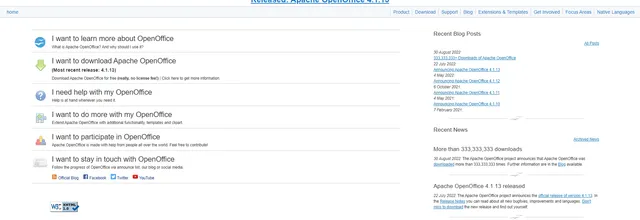

Free open-source office suite with word processing, spreadsheets and presentations
A free desktop office suite of thirteen apps in one download, for Windows, that works with the network switched off.
Related reading
Articles that share the Productivity Software tag or mention this listing.
 United States of America
7 Nov 2026
Microsoft widens Copilot Chat limits and will not say what they are
Users without a Microsoft 365 Copilot licence now hit fair-use limits on more features. Limits vary through the day, and admins can neither…
 Office Suite
26 Oct 2026
When a file format moves faster than its standard
Microsoft has revised its notes on how Office extends ISO/IEC 29500 57 times since 2009; the core standard text dates from 2016. Why…
 United States
21 Oct 2026
Microsoft 365 Apps version 2611 removes Publisher from November
Subscribers lost Publisher on 1 October, but the removal update only reaches Current Channel in mid-November and Monthly Enterprise in…
Keep exploring
More on TrustList
Everything here links back to the same verified catalogue. Pick your next stop.
- Write a reviewHelp other buyers decide
- CompaniesAgencies, consultancies and IT service providers, ranked by verified reviews.
- ArticlesGuides, comparisons and research from the editorial desk and the community.
- AwardsAnnual recognition decided by verified reviews and an independent jury.
- LaunchesNew products and releases, voted up by the community every day.
- AI ModelsBenchmark scores and community ratings for every major model.
- RequestsBuyers describe what they need; vendors respond directly.
- PeopleReviewers, authors and makers with public profiles.
- ComparePut up to four listings side by side before you shortlist.