



Programming library for generating, editing, viewing and converting PDF files in C#, VB.NET and other languages

Desktop app for Windows and macOS that records clicks as step-by-step guides and process documentation
By Folge

Folge runs on Windows and macOS desktops, captures a screenshot each time the user clicks and joins the captures into a guide, standard operating procedure or tutorial. The company says it works offline, keeps every guide on the user's own computer, and suits anyone who documents a process for colleagues, clients or support users. It describes more than 1,000 users and businesses using it daily, and the app is available in English, French and German.
A user starts a capture by picking a full screen, a single window or a region, and then simply carries out the task. Every click becomes a step, with the click location marked on the image. Captures can be triggered by mouse clicks, keypresses or key combinations, and the user can pause to rearrange the work or add context. The company says one app and under ten minutes are enough to produce a guide, in place of the repetitive habit of showing the same thing to colleagues or answering the same support question every day.
Steps can be reordered, hidden or given sub-steps, and each one can carry a title and a description. Annotation tools include arrows, boxes, highlights, magnifiers and numbered badges, and nine annotation tools are offered in total. Sensitive items such as passwords, names and card numbers can be blurred on one step or on all of them, and a screenshot can be cropped to the part that matters. Warnings, tips and notes can be dropped between steps where a reader needs them, steps from other guides can be reused, and an AI feature reads the screenshot and drafts the step description.
A guide is built once and exported to whatever form the audience needs, without re-recording. The formats include PDF, HTML, PowerPoint, Word and SCORM, and the layout can be changed with the user's own fonts, colors, logos and custom CSS. Guides can be embedded in Confluence, SharePoint, Help Scout, Zendesk and other knowledge base tools.
Unlike cloud-based tools, the company says Folge sends no information to a server, so sensitive material stays on the machine. Shared guides can be worked on without a cloud account. This is the main reason it positions the app for people who want to control their data while still collaborating securely, and for those replacing manual work in Word and separate screenshot tools.
Folge is a desktop application for Windows and macOS that captures a screenshot at every mouse click and assembles the clicks into a step-by-step guide, procedure or tutorial. It works offline and keeps guides on the user's own computer.
Teams documenting processes for colleagues, clients or support users, including those embedding guides in Confluence or SharePoint.
Summary written by TrustList from the business's own published information, Nov 2026.
2 images - click to enlarge
No questions yet. Be the first to ask about Folge.
Similar listings buyers compare against this one.
Programming library for generating, editing, viewing and converting PDF files in C#, VB.NET and other languages

Windows program that batch converts Word, PDF and HTML documents, now sold as Doc Converter Pro

Procedure documentation software for gastroenterology and bronchoscopy in hospitals and surgery centres
Web API and template editor that lets software generate PDF documents from its own data

Cloud document generation and contract management for businesses of different sizes

Template-based document generation engine offered as cloud service, self-hosted server or Java library
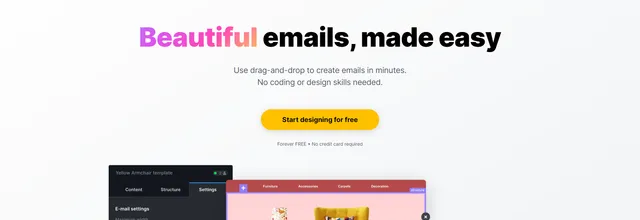
Drag-and-drop email and landing page editor that teams can share and embed in their own products

Drag-and-drop and HTML email editor that exports code to 90 email service providers
The newest guides and analysis from TrustList Insights.
 Philippines
15 Nov 2026
The BIR, SEC, DTI, DICT and six other bodies filed notifications after leaks were reported on 5 November. The NPC says reports alone do not…
 Chile
15 Nov 2026
Subtel drew 62,749 UF from guarantees after WOM reached 53% to 68% of its committed 5G works by 30 September; the 100% deadline stays 31…
 Cybersecurity
15 Nov 2026
A Hamburg security firm found records with email addresses in 7,403 of them, from passport numbers to chat logs, and says the 30% share is…
Everything here links back to the same verified catalogue. Pick your next stop.


