


Windows screen recorder from Icecream Apps for capturing video, audio, games and screenshots
Chrome screen recorder that zooms and pans to follow the cursor, with recordings processed locally in the browser
Built as a Chrome extension on Manifest V3, Lumiko records the screen. It is aimed at people making a product demonstration or a piece of documentation who want the result to look deliberate, without spending an hour of editing on a two-minute clip.
The central feature is automatic camera movement. Lumiko follows the cursor and the clicks and builds the zoom and pan from them, so the manual keyframing that normally eats most of the editing time is gone. Around that sit a timeline in the browser for trimming, splitting and reordering clips, a smart blur that hides API keys, email addresses and customer data in a recording, a circular webcam overlay, backgrounds and several aspect ratios. Export goes up to 4K, with 1080p and 720p also available.
On privacy, the product's own FAQ sets out a position that is unusually clean for screen recorders. Capture and export are processed on the user's machine inside the browser, and the company states that it never uploads, views or keeps recordings. The free version needs no account.
There is a free version and a Pro license sold as a one-off payment, advertised as reduced from a higher launch figure. Paying takes off the watermark, adds 4K export, and the license covers three devices for the life of the product.
The maker is named on the launch post but nowhere on the site, which gives no company name, so one person stands behind the product and no company is stated. A different product also called Lumiko exists, an unrelated communication app for a kindergarten in Poland, and this entry is the screen recorder at lumiko.dev.
Lumiko is a Chrome extension for screen recording, on Manifest V3, aimed at making product demonstrations and documentation look deliberate. Its automatic camera work follows the cursor and clicks to generate zooms and pans, without manual keyframes. Recording and export run locally in the browser, and the company says it does not upload, view or retain recordings. The website names no company, and the launch credits a single maker.
People making product demos, tutorials and documentation recordings for YouTube, Shorts, TikTok or LinkedIn.
Summary written by TrustList from the business's own published information, Nov 2026.
An earned signal from verification, reviews, awards, transparency and engagement - the vendor can't buy it.
Updated 9/20/2026
No questions yet. Be the first to ask about Lumiko.
Similar listings buyers compare against this one.
Windows screen recorder from Icecream Apps for capturing video, audio, games and screenshots

Screen capture and recording tool from TechSmith for images, GIFs and short videos used in training and support

PC screen recorder for capturing the desktop, gameplay and webcam with built-in editing and AI tools
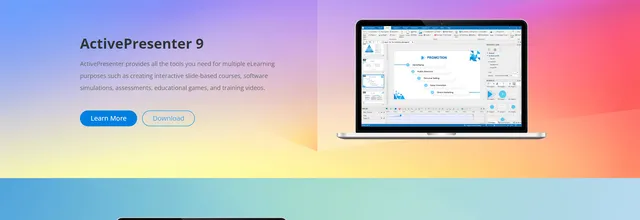
eLearning authoring software for screencasts, software simulations, interactive lessons and HTML5 animation

Screen recorder for Windows and Mac that captures the display, audio and webcam

Windows screen recorder with built-in editing for tutorials, demos and training videos

Browser-based screen recorder and video editor used by teachers, students and workplace teams
Mac video toolbox for screen capture, audio recording, video editing and format conversion
The newest guides and analysis from TrustList Insights.
 Finland
16 Nov 2026
Brillian was founded in 2024, already earns most of its revenue outside Finland and names Siemens, Storytel and Carnival Cruise Lines as…
 Version Control
16 Nov 2026
The fourth maintenance release of the 28 series follows the 20 advisories fixed in 28.3.0 two weeks earlier. One of its flaws has exposed…
 Linux
16 Nov 2026
CVE-2026-99288 needs no login and no special configuration, only a TCP port an attacker can reach. The fix went into the kernel on 3…
Everything here links back to the same verified catalogue. Pick your next stop.


