



PDF reader for viewing, signing, annotating and printing documents

Automated document conversion and PDF generation software for regulated industries such as life sciences
By DocShifter

DocShifter automates the conversion of documents to PDF, enriches the result and checks its quality. Many input formats are accepted, finished renditions are filed in the locations users choose, and no authoring applications such as Office need to be installed. Deployment is either on the customer's own premises or inside its cloud account. The company says it has spent 20 years automating complex document conversion flows.
The older description starts from a familiar problem: staff copy information from a CRM and other databases into company templates, producing invoices, forms and letters by hand. That is slow, produces inconsistent output and invites errors. DocShifter fills templates automatically from system data, so templates designed in Word or OpenOffice can be turned out in volume. The company says an organization creates thousands of documents every day, and that automated generation standardizes outbound communication across channels, which is hard to achieve when each document is typed or pasted by hand.
Once a final document exists, it often needs to become a PDF and be finished: a company logo, a table of contents, a watermark, or optimization for fast viewing in a web browser. Done by hand these steps take time and add cost, so the software applies them as part of the same workflow.
The current site is aimed at regulated industries, and above all at life sciences. The company says pharmaceutical firms use it to prepare regulatory documents faster. Its pages cover submission-ready PDFs, automated report-level publishing and digital document archiving. Figures it quotes about itself include time savings of over 60 percent and a tenfold reduction in conversion failures, which are the vendor's own claims. It says it builds its flows together with customers and integrates with their existing systems.
DocShifter converts documents to PDF automatically, adds enrichment and runs quality checks. It handles many input formats and stores the finished renditions where users want them. The software works without authoring applications such as Office, and can run on premises or in a customer's cloud.
Its current focus is life sciences, where it prepares submission-ready PDFs for health authorities including the FDA, EMA and PMDA.
Summary written by TrustList from the business's own published information, Nov 2026.
2 images - click to enlarge
Used it? Your experience helps other buyers decide.
Write a reviewNo questions yet. Be the first to ask about DocShifter.
Similar listings buyers compare against this one.
PDF reader for viewing, signing, annotating and printing documents

Online converter that turns scanned or regular PDFs into Word, Excel and image files, and creates PDFs from many file types

Open source desktop application for splitting, merging, extracting and rotating PDF files offline

Virtual PDF printer for Windows that turns any printable document into a PDF file

PDF application for businesses to create, convert, edit and share PDF files across devices

Windows PDF printer and converter with automation features for individuals, businesses and servers

PDF reader, editor and eSignature software for individuals and businesses
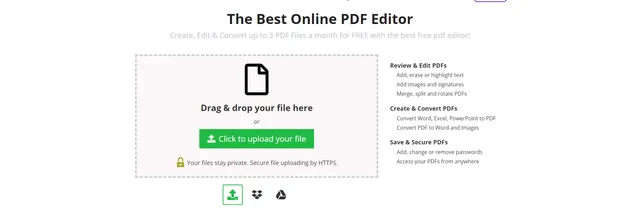
Online PDF editor and converter for creating, editing and securing documents
Articles that share the PDF Reader tag or mention this listing.
 Poland
4 Nov 2026
An XXE flaw lets a crafted XML read local files when it is signed or verified, update filenames allow path traversal, and no certificates…
 India
22 Oct 2026
The Bengaluru-listed trust company says its board chose to withdraw a week after eight intermediate keys were exposed. Its G1 RSA roots…
 United States of America
9 Nov 2026
Items shared with Anyone with the Link lose end-to-end encryption even under Advanced Data Protection, and Apple can disable the account…
Everything here links back to the same verified catalogue. Pick your next stop.


