


Microsoft app that converts photos of documents and whiteboards into PDF files

Windows OCR software that turns scanned pages and PDFs into editable or searchable documents
By SmartSoft
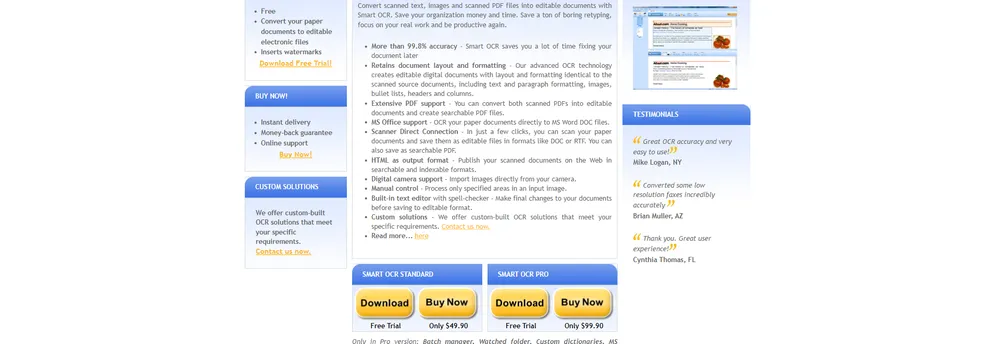
SmartOCR converts scanned text, images and scanned PDF files into documents that can be edited or searched. Its target is offices that want to stop retyping paperwork. The company says its recognition is accurate to more than 99.8 percent, and it presents this as the reason users spend less time correcting documents afterwards. The output is an editable digital file, not a picture of the page, so the text can be reused in other work.
The software aims to keep the look of the original page. Text formatting, paragraph styles, images, bullet lists, headers and columns are reproduced in the output file. Results can be saved as Microsoft Word DOC files, plain text, RTF or HTML, and both scanned PDFs and searchable PDF files can be created. The HTML option lets a scanned document be published on the web or an intranet in a form that search engines can index.
Documents can be scanned straight from a connected scanner in a few clicks, and the file saved in the chosen format. Pictures can be imported directly from a digital camera. Users can process only chosen areas of an image rather than the whole page, and a built-in editor with a spell checker lets them correct the text before saving it. These controls are for documents where only part of the page holds the text that matters.
SmartOCR is sold in a Standard and a Pro edition. The batch manager, watched folder, custom dictionaries, Microsoft Office integration and Windows shell integration are available only in the Pro version. The company also offers custom-built OCR solutions for organizations with specific requirements, and invites inquiries for these through its contact page.
The company names three common uses: archiving paperwork and clearing space in a workspace, publishing documents on the internet or a corporate network, and sending documents by email in popular formats. Individuals also use it to convert hard-copy books for e-readers. The company describes its product as a way to make scanned material searchable and reusable, and it says the software is designed to save organizations money and time on retyping.
SmartOCR is optical character recognition software that converts paper documents, scanned images and scanned PDFs into files that can be edited or searched. It is aimed at organisations that want to stop retyping paperwork.
Offices archiving paperwork, publishing documents on a website or intranet, or emailing them in common formats. The maker also builds custom OCR solutions to order.
Summary written by TrustList from the business's own published information, Nov 2026.
2 images - click to enlarge
No questions yet. Be the first to ask about SmartOCR.
Similar listings buyers compare against this one.
Microsoft app that converts photos of documents and whiteboards into PDF files

Mobile software kit from ABBYY for capturing document photos and recognising text on smartphones

Mobile scanning app that uses OCR to extract text from images, with editing and sharing

Windows OCR program that reads scanned pages, PDF files and multi-page images and exports to Word or plain text

AI document processing for mortgage lenders, servicers and investors, plus insurance and banking

Web-based OCR service that converts images and PDFs into Word, Excel, text and other formats
Articles that share the Text Editor tag or mention this listing.
 Text Editor
9 Nov 2026
None has a CVE number yet. A crafted SAML payload can overflow a fixed 200,000 byte buffer in the plugin, and three moderate issues on the…
 Philippines
15 Nov 2026
The BIR, SEC, DTI, DICT and six other bodies filed notifications after leaks were reported on 5 November. The NPC says reports alone do not…
 Chile
15 Nov 2026
Subtel drew 62,749 UF from guarantees after WOM reached 53% to 68% of its committed 5G works by 30 September; the 100% deadline stays 31…
Everything here links back to the same verified catalogue. Pick your next stop.


