

Open-source disk imaging and cloning program for system deployment, backup and recovery

Drive SnapShot 1.46 makes full disk images of Windows hard drives for backup and disaster recovery

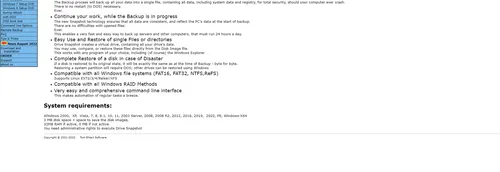
Drive SnapShot 1.46 takes a full image of a Windows hard disk without stopping the machine. It is used for backup, restore and disaster recovery on several Windows generations, from NT and 2000 to XP, 2003 and 64-bit editions.
The vendor's pages explain the backup process in three steps and the restore process in four, so a user can follow each stage on screen. A frequently asked questions page sits beside them. The explanations are written around the software's behavior on specific Windows versions.
A tool for creating a bootable DOS disk is included, which is useful for restoring a system image when Windows itself cannot start. An image explorer, covered in its own pages, lets users look inside a saved backup without restoring the full image first.
Command-line options let backups be scheduled or scripted rather than started by hand each time. A trial version can be downloaded, so the backup and restore process can be tested on a given machine before a full installation.
The listing is for administrators who want a straightforward disk image of a Windows machine, with the procedures laid out in the vendor's own documentation.
Drive SnapShot 1.46 is Windows software that copies a hard disk into an image while the system keeps running. The image can be used for backup, restore and disaster recovery. The site offers a trial download so the process can be tested before a full installation.
Summary written by TrustList from the business's own published information, Nov 2026.
2 images - click to enlarge
Used it? Your experience helps other buyers decide.
Write a reviewNo questions yet. Be the first to ask about Drive SnapShot 1.46.
Similar listings buyers compare against this one.
Open-source disk imaging and cloning program for system deployment, backup and recovery

Backup software that stores many versions in private or hybrid cloud, aimed at resellers offering backup services

Hardware-based disk imaging and data recovery tools for recovering partly failed drives, from a Canadian maker

Windows disk image backup tool that copies a whole hard disk while the system keeps running

Disk imaging and cloning software for Windows and Windows Server, with compression, encryption and scheduling

Backup, imaging and cloning software for Windows PCs and servers, for home and business use
Articles that share the Encryption tag or mention this listing.
 Cybersecurity
20 Nov 2026
The QUIC server memory flaw CVE-2026-124709 is reachable in the default configuration; the TLS 1.3 Suite B read and the PEM use-after-free…
 United States of America
9 Nov 2026
Items shared with Anyone with the Link lose end-to-end encryption even under Advanced Data Protection, and Apple can disable the account…
 United States of America
7 Nov 2026
A network move in February 2025 exposed a validation archive, and one account read it for about five days in 2026. A small minority of…
Everything here links back to the same verified catalogue. Pick your next stop.


