


DrawPad is graphic design and drawing software from NCH Software for creating images, sketches and banners on PC and Mac

Vector graphics editor for beginners, schools and designers, with AI tools for logos and image conversion
By Vectr
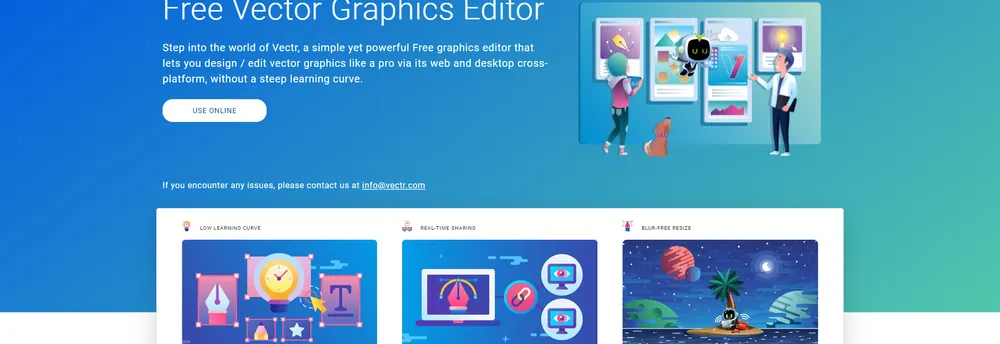
Anyone with no design experience is as much the target of Vectr as working designers are. Its makers describe the free editor as simple but powerful, and it can be used from a browser tab or through a desktop download.
Vector graphics stay crisp at any size, unlike raster images. Vectr says this suits blur-free logos, presentations, cards, brochures, website mock-ups and other two-dimensional graphics.
The company says its tools are intuitive and carry no steep learning curve. Real-time collaboration works through a link: someone can share a live view of their activity, and others can watch designs being created and edited. Changes can be discussed within the editor itself.
The product has since added AI tools. Vectr describes an AI vector generator and logo maker, a background remover and an AI image generator, plus converters that turn JPG or PNG files into SVG. It offers a Chrome plugin as well.
Vectr says it is used by schools and professionals around the world, that teachers trust it and students enjoy it, and that its basic editor is free forever.
Vectr is a vector graphics editor that runs in a web browser and as a desktop application. It suits beginners, schools and working designers who want to draw logos, mock-ups and other artwork that scales cleanly. The product has since added AI features for generating and converting images.
The site points to schools, professionals, teams and agencies working on logos and scalable graphics. It stresses an interface that needs little learning.
Summary written by TrustList from the business's own published information, Nov 2026.
2 images - click to enlarge
No questions yet. Be the first to ask about Vectr.
Similar listings buyers compare against this one.
DrawPad is graphic design and drawing software from NCH Software for creating images, sketches and banners on PC and Mac

Vectornator Pro is a vector graphic design app for Mac covering branding, illustration, interfaces and typography

Synfig Studio is open source 2D animation software that combines vector and bitmap artwork with automatic tweening

Design application for vector illustration, logos and interface mock-ups from the Affinity creative suite

Open-source vector graphics editor for illustrators, designers and web designers on Linux, macOS and Windows

Cinema 4D is 3D modelling, animation, simulation and rendering software from Maxon for motion designers and visual effects artists

Pencil2D is open source animation software for drawing and painting traditional 2D hand-drawn animations on desktop computers
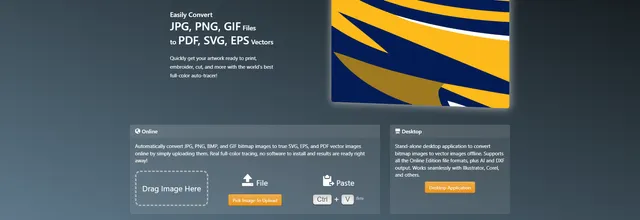
Vector Magic converts JPG, PNG, BMP and GIF images into SVG, EPS and PDF vector files, online or on desktop
Articles that share the Collaboration tag or mention this listing.
 Cloud
17 Nov 2026
A change that ran without trouble for three months, a Teams failover and 14% of capacity already out combined on 12 November; the final…
 Venture Capital
15 Oct 2026
Lightspeed leads with Bessemer after three years in stealth. Zenzap says thousands of businesses in the US, UK and Australia already use…
 Netherlands
8 Oct 2026
The Belastingdienst had moved about 5,000 of 47,500 staff to Microsoft 365 before stopping; mail and calendars come in-house in 2027, with…
Everything here links back to the same verified catalogue. Pick your next stop.


