


Pencil2D is open source animation software for drawing and painting traditional 2D hand-drawn animations on desktop computers

Vector Magic converts JPG, PNG, BMP and GIF images into SVG, EPS and PDF vector files, online or on desktop
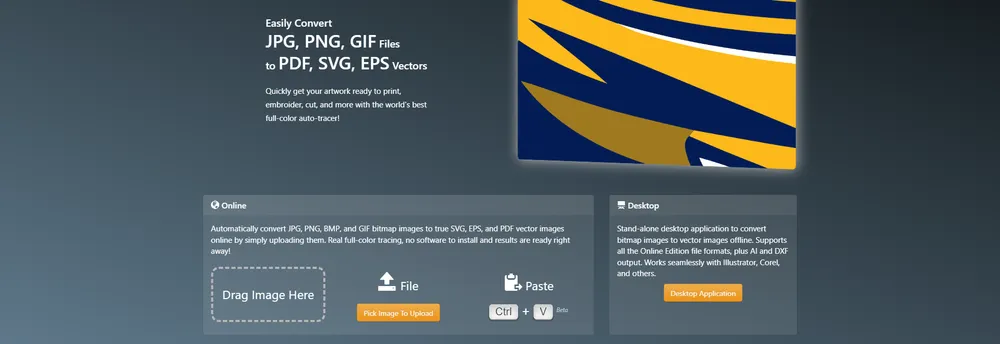
Turning a bitmap into a clean vector file is the single job this tool is built for. A user uploads a JPG, PNG, BMP or GIF image, and the service works out suitable settings on its own, then traces the underlying shapes in full color. The results come back as SVG, EPS or PDF files, and nothing has to be installed to use the online edition.
The process has two steps, as the site describes it. First the image is uploaded and the tool analyzes it, detects appropriate settings and traces the artwork. Second, the user reviews the result, adjusts the settings if needed and can even edit the output inside the same tool. The makers say the tracer follows every edge pixel closely so that the vector recreates the intention of the original image.
A stand-alone desktop application does the same conversion offline. It supports every format the online edition produces and adds AI and DXF output as well. The makers say it works with Illustrator, Corel and other design programs, so traced artwork can move straight into an existing workflow.
The site explains that vector files matter for anything printed, embroidered or cut. It lists the ways a business might use them:
The makers also say that faster turnaround, fewer pre-print problems and lower costs follow from having artwork ready in the right format. The site also points visitors to a newer product from the same team, named Vectorizer.AI, which it describes as the next generation of the tool.
Vector Magic is an auto-tracing service that turns bitmap images into vector graphics. Users upload an image, the tool detects suitable settings and traces the shapes in full colour, with results ready straight away and nothing to install.
Designers and print or embroidery workflows. The desktop app works with Illustrator and Corel.
Summary written by TrustList from the business's own published information, Nov 2026.
2 images - click to enlarge
Used it? Your experience helps other buyers decide.
Write a reviewNo questions yet. Be the first to ask about Vector Magic.
Similar listings buyers compare against this one.
Pencil2D is open source animation software for drawing and painting traditional 2D hand-drawn animations on desktop computers

Vector graphics editor for beginners, schools and designers, with AI tools for logos and image conversion

OmniGraffle Pro is diagramming and visual design software from The Omni Group for Mac, iPad and iPhone

DrawPad is graphic design and drawing software from NCH Software for creating images, sketches and banners on PC and Mac
Articles that share the 2D Drawing tag or mention this listing.
 Image Editor
8 Oct 2026
ArtCraft's PhotoCraft, FilmCraft and LightCraft were first pushed to GitHub on 30 September and carry MIT or Apache-2.0 licences, but the…
 Brazil
22 Nov 2026
Receita Federal has opened the restricted CBS pilot environment to all companies without prior request, and has sent the accounting council…
 South Africa
22 Nov 2026
SARS matched National Treasury payments against nil VAT returns from Central Supplier Database suppliers, found 14,142 nil-return periods…
Everything here links back to the same verified catalogue. Pick your next stop.


