


Tool for repairing corrupt Excel workbooks and recovering their tables and charts

Excel add-in that audits spreadsheets for formula errors and hidden risks, aimed at finance and modelling teams
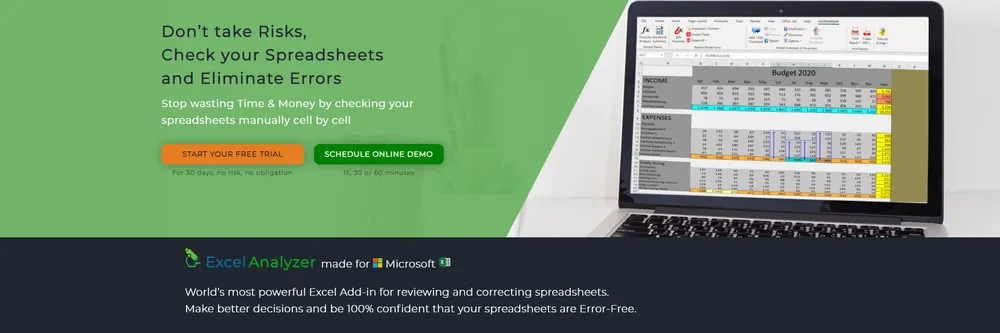
Anyone who builds or audits an Excel model can use ExcelAnalyzer, which sits inside Excel and hunts down errors and hazardous constructions in a workbook. A new button in the ribbon brings the checks into Excel itself, replacing the slow process of reviewing formulas cell by cell. The company describes it as a spellchecker for spreadsheets, able to cover large models and report each issue it finds.
The add-in can analyze and process hundreds of sheets in one session, and the company says it cleans workbooks before the final analysis stage so that the review runs faster. The vendor says the product has been refined over more than twenty years, working closely with clients, and that it is used by finance, healthcare, technology and education professionals.
The scan lists formulas, hardcoded values and inconsistent formulas across a sheet, and reports all Excel errors it finds. It maps intersheet and external links, flags hidden columns, rows and tabs, including very hidden tabs, and highlights formulas that differ from their neighbors. The company says it examines the full structure of a workbook rather than only its formulas, covering anything that creates risk in an Excel model.
The company's argument is that models should not be black boxes. Its visual representation of formulas is meant to help a modeler explain a workbook to a colleague, an auditor or a student, and to show where the logic needs editing before it is relied upon.
ExcelCompare sets two workbooks side by side and lists every change in formulas, values and text, which helps with version control. ExcelScenario supports scenario and what-if analysis on chosen variables, showing how different outcomes would look. Together with ExcelAnalyzer, the three add-ins are presented as a way of eliminating spreadsheet risk.
Finance teams, budget planners and business case builders use the add-in to check models before they are shared. Educators use it to review student spreadsheets, because the detailed reports show which formulas are inconsistent and where a student should look again. The company says its clients rely on the add-in for the accuracy of their calculations and reports.
ExcelAnalyzer is an add-in for Microsoft Excel that reviews workbooks for mistakes and risky constructions. It appears as an extra button in the Excel ribbon and replaces manual cell-by-cell checking. It is made by the company behind the Spreadsheet Software site, which also offers two companion tools.
The maker says its add-ins are used by professionals in finance, healthcare, technology and education, including those who build or audit Excel models.
Summary written by TrustList from the business's own published information, Nov 2026.
2 images - click to enlarge
An earned signal from verification, reviews, awards, transparency and engagement - the vendor can't buy it.
Updated 8/11/2026
Used it? Your experience helps other buyers decide.
Write a reviewNo questions yet. Be the first to ask about Excel Analyzer.
Similar listings buyers compare against this one.
Tool for repairing corrupt Excel workbooks and recovering their tables and charts

Excel spreadsheets and calculators for analysing rental properties and buy-and-hold investments
Confluence app for building dynamic spreadsheets with formulas and filters inside wiki pages

Auditable data store and memory layer that connects spreadsheets and AI agents to business data

Software robot that builds sales lead lists and runs LinkedIn outreach for sales teams

Table-based accounting software for small companies, associations and individuals, with Swiss VAT support

Office suite from Hancom with word processor, spreadsheet, presentation and PDF tools for Microsoft file formats

Office suite with Writer, Spreadsheet, Presentation and PDF apps that works with Microsoft Office files on Windows, Mac, Linux, Android, iOS and the web.
The newest guides and analysis from TrustList Insights.
 Brazil
22 Nov 2026
Receita Federal has opened the restricted CBS pilot environment to all companies without prior request, and has sent the accounting council…
 South Africa
22 Nov 2026
SARS matched National Treasury payments against nil VAT returns from Central Supplier Database suppliers, found 14,142 nil-return periods…
 United States of America
22 Nov 2026
OpenRouter has off-boarded three inference providers and removed 125 endpoints from Zero Data Retention after Dragos seeded about two…
Everything here links back to the same verified catalogue. Pick your next stop.


