


Open-source video editor for Linux, macOS and Windows with an unlimited-track timeline and animation tools

Open-source cross-platform video editor for Windows, Mac and Linux with wide format support
By Meltytech

Shotcut is a free, open-source video editor for Windows, Mac and Linux. Format support comes from FFmpeg, covering hundreds of audio and video formats and codecs. Projects can mix formats, resolutions and frame rates on one timeline, and the editor works directly on files without a separate import step. Seeking is frame accurate for many formats, and the software supports resolutions up to 4K.
For input and preview monitoring, Shotcut supports Blackmagic Design SDI and HDMI hardware. It can capture from screens, webcams and audio devices, including JACK and Pulse audio, as well as IP streams, X11 screens and Windows DirectShow devices. Network streams can also be played back in the editor.
Many panels can be docked or undocked. They include media properties, recent files with search, a playlist with a thumbnail view, a filter panel, a history view, an encoding panel and a jobs queue. Assets can be dragged in from a file manager, and keys are assigned to playback speed, the in and out points and single-frame moves.
Files can be opened by drag and drop as well as through the usual menu and toolbar. The J, K and L keys control playback speed and direction, and repeated presses of J or L speed things up further. The I and O keys mark the in and out points, the cursor keys move one frame at a time, and page up or down moves a second at a time. Alt with the left or right cursor key jumps between the start, in, out and end points.
Releases are numbered by date, with new versions arriving about every two months. The developer is Meltytech, LLC. The current version is a complete rewrite built on MLT, a framework that its lead developer also co-founded. Recent releases have added features such as auto ducking with an adjustment clip, and high dynamic range support.
Shotcut is an open-source video editor that runs on Windows, Mac and Linux. It uses FFmpeg, so it handles hundreds of audio and video formats. Users can edit files directly without importing them first.
Summary written by TrustList from the business's own published information, Nov 2026.
2 images - click to enlarge
No questions yet. Be the first to ask about Shotcut.
Similar listings buyers compare against this one.
Open-source video editor for Linux, macOS and Windows with an unlimited-track timeline and animation tools

Photo editing and digital asset management software from ACDSee for photographers

Suite of five multimedia programs for converting, editing and creating audio and video

Subscription suite of desktop and mobile creative apps for image, video, graphics, layout and PDF work
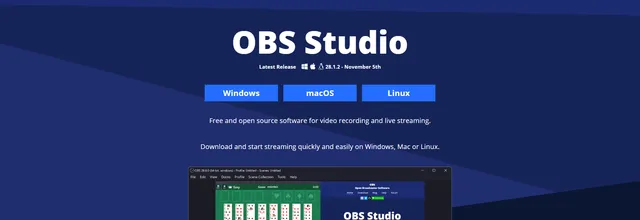
Open-source software for recording video and live streaming on Windows, Mac and Linux

Screen recorder and video editor from TechSmith for tutorials, training videos and software demos
Multi-track video editor that also records the screen and adds subtitles to videos

AI-assisted video editing software from CyberLink for hobbyists and prosumer creators
The newest guides and analysis from TrustList Insights.
 Finland
16 Nov 2026
Brillian was founded in 2024, already earns most of its revenue outside Finland and names Siemens, Storytel and Carnival Cruise Lines as…
 Version Control
16 Nov 2026
The fourth maintenance release of the 28 series follows the 20 advisories fixed in 28.3.0 two weeks earlier. One of its flaws has exposed…
 Linux
16 Nov 2026
CVE-2026-99288 needs no login and no special configuration, only a TCP port an attacker can reach. The fix went into the kernel on 3…
Everything here links back to the same verified catalogue. Pick your next stop.


