


Multi-track video editor that also records the screen and adds subtitles to videos

Video Editing Software
Filmora
AI-assisted video editor from Wondershare for beginners and creators on desktop and mobile
By Wondershare
- Android
- Installed - Mac
- Installed - Windows
- iPhone / iPad

About Filmora
Wondershare Filmora began as a video editor for people who wanted results without learning a complicated tool. Its early release was aimed at beginners, who could spend less time on the basics and more on the video itself, and it now runs on desktop and mobile.
Know the footage before cutting
The latest version, Filmora 16, adds AI media analysis, which identifies people, scenes, actions, speech and key moments in imported or recorded footage. The aim is to help an editor understand and find the right shot before editing starts.
Shaping the cut and the sound
Timeline tools let an editor shape the story and control each cut. The program also records the screen, the camera and microphones, and offers effects, captions and audio features. The vendor lists tools for making speech clear and for fixing imperfect footage without leaving the edit.
One connected workflow
Wondershare describes the process as running from organizing footage to delivering the final video inside one workflow. It says Filmora has been named best video editor across review platforms, and the claim is its own.
TrustList summary
Filmora is a video editor from Wondershare for desktop and mobile. Early versions were pitched at beginners who want to edit without learning complex tools. The current release adds a range of AI features to the editing workflow.
What Filmora does
- AI media analysis: identifies people, scenes and speech and tags footage for easier searching.
- Timeline editing: cutting and shaping the story with intuitive tools.
- Recording: capture screen, camera and microphones at once.
- Captions and audio: clean up and clarify speech.
- Effects: visual effects and polish for the finished video.
Key facts
- Developer: Wondershare
- Current version: Filmora 16
- Platforms: desktop and mobile
Customers and markets
Video creators of varying experience, from newcomers to those wanting AI help with the full journey from raw footage to a finished video.
Summary written by TrustList from the business's own published information, Nov 2026.
Gallery
2 images - click to enlarge
Categories & features
- Android
- Installed - Mac
- Installed - Windows
- iPhone / iPad
Request a demo or quote from Filmora
Reviews
Questions & answers
No questions yet. Be the first to ask about Filmora.
Filmora alternatives
Similar listings buyers compare against this one.


Open-source video editor for Linux, macOS and Windows with an unlimited-track timeline and animation tools


Video editing software for hobbyists and professionals, part of the Vegas creative suite


Online video editor that runs in the browser, including on Chromebooks, for schools, businesses and creators


AI-assisted video editing software from CyberLink for hobbyists and prosumer creators
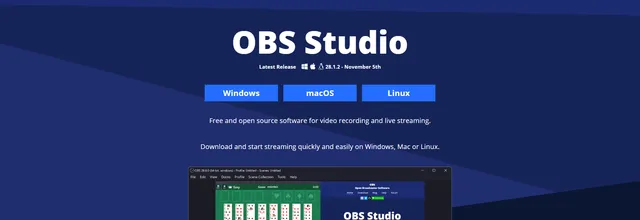

Open-source software for recording video and live streaming on Windows, Mac and Linux


Suite of five multimedia programs for converting, editing and creating audio and video


Open-source 3D creation suite covering modelling, animation, rendering and video editing for artists and studios
Related reading
Articles that share the Android tag or mention this listing.
 Italy
15 Nov 2026
Italy fines Meta €805m over Facebook's Android gallery access
The Garante says the gallery suggestions feature, on by default since 2023, read photos and videos of about 20 million Italian Android…
 United States of America
3 Nov 2026
Android November bulletin fixes a zero-click Framework flaw
The most severe flaw lets an attacker run code with no user interaction, and a critical bug in WAP Push SMS handling, with a public proof…
 Redmond, Washington
29 Oct 2026
Microsoft Authenticator for Android let any app pose as Teams and get work tokens
CVE-2026-80097, rated 8.6 by Microsoft and fixed in Authenticator 6.2606.4246 in September, let an Android app with no permissions request…
Keep exploring
More on TrustList
Everything here links back to the same verified catalogue. Pick your next stop.
- Write a reviewHelp other buyers decide
- CompaniesAgencies, consultancies and IT service providers, ranked by verified reviews.
- ArticlesGuides, comparisons and research from the editorial desk and the community.
- AwardsAnnual recognition decided by verified reviews and an independent jury.
- LaunchesNew products and releases, voted up by the community every day.
- AI ModelsBenchmark scores and community ratings for every major model.
- RequestsBuyers describe what they need; vendors respond directly.
- PeopleReviewers, authors and makers with public profiles.
- ComparePut up to four listings side by side before you shortlist.