
Mac dictation app for professionals, turning speech into text in their own writing style across apps
M
Speech Recognition Software
MosMos
New· 6Voice typing for any Mac app, with a meeting recorder that separates speakers and returns action items
- Speech Recognition Software
- Speech Recognition
About MosMos
Dictation that follows the app in front of you
Holding one key starts and stops dictation in whatever application is in front of the user, whether that is chat, email, a document or a terminal. MosMos adapts the text to where it is being typed, so a message to a colleague and a note in a document do not come out the same way.
Three levels of refinement
The user chooses how much of their original voice to keep. Basic leaves the words alone, standard tidies grammar and flow, and advanced rewrites to be shorter.
Keywords that survive transcription
Users can store their own keywords, covering names, proper nouns and homophones, so these are transcribed correctly. Misheard specialist vocabulary is what most often spoils dictation for professionals.
Meetings with speakers separated
A second shortcut records a meeting instead of dictating. MosMos separates the speakers and returns a multi-speaker transcript, a meeting note and a list of items to be done.
Platforms and buyers
MosMos runs on macOS 15 and later on Apple silicon, started with the Fn key, and its site also offers a Windows version for Windows 10 and 11 using the Right Alt key. An iOS version is described as coming soon. Both downloads are advertised as free and no pricing page is published. It is sold to product managers, developers and operations staff, not to general consumers.
TrustList summary
MosMos is voice typing software that converts speech to text in any app the user has open, and it can record meetings too. Its buyers are product managers, developers and operators, not general consumers. It currently runs on macOS 15 and later.
Main features
- Dictation in any app: holding a key starts and stops dictation in a chat window, an email, a document or a terminal.
- Three refinement levels: basic changes nothing, standard fixes grammar and flow, and advanced rewrites for concision.
- Keyword list: custom keywords keep proper nouns, names and homophones intact during transcription.
- Meeting capture: a second shortcut records a meeting, separates speakers and returns a summary with the items to be done.
Who it works with
Product managers, developers and operators who write across many applications and hold meetings. Windows and iOS versions are described as coming.
Summary written by TrustList from the business's own published information, Nov 2026.
MosMos launches
Categories & features
- Speech Recognition Software
- Speech Recognition
Trust Score
6/ 100
Trust Score: New
An earned signal from verification, reviews, awards, transparency and engagement - the vendor can't buy it.
Verification
0/100 · 20%
Reviews
0/100 · 30%
Awards
0/100 · 15%
Transparency
30/100 · 20%
Engagement
0/100 · 15%
Joining soon
Recommendations
Coming soon
Complaints
Coming soon
Updated 9/19/2026
Request a demo or quote from MosMos
Reviews
Questions & answers
No questions yet. Be the first to ask about MosMos.
MosMos alternatives
Similar listings buyers compare against this one.
AI meeting notetaker that keeps summaries and decisions in the language the meeting was held in


Browser-based voice typing tool that converts speech to text in over 70 languages
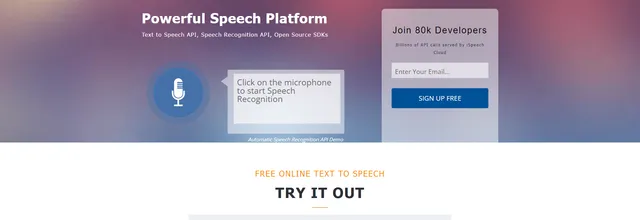

Text-to-speech and speech recognition APIs and mobile app for developers adding voice to software

AI note-taking service that records in-person meetings and drafts summaries for business and scrum teams


Dictation and speech recognition software that helps physicians produce more accurate clinical reports


Online video editor that adds automatic captions and social formatting for coaches, creators and small teams
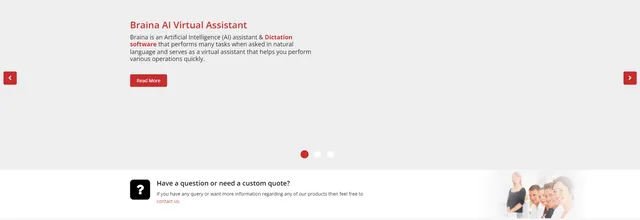

AI virtual assistant and dictation software for Windows that responds to voice commands
Related reading
Articles that share the Speech Recognition Software tag or mention this listing.
 United States
4 Oct 2026
Inworld acquires Seattle voice AI company Ultravox; Ultravox customers move to Inworld's voice technology
Inworld has acquired Ultravox, the Seattle voice AI company that began as Fixie, for an undisclosed sum. Both companies' sites carry the…
 Japan
17 Nov 2026
ElevenLabs to buy Tokyo voice AI lab Kotoba, close due this quarter
Kotoba, founded in July 2023, built the Japanese voice agents in Salesforce Agentforce Voice; its team stays in Tokyo and no price has been…
 India
15 Nov 2026
Desible.ai raises ₹32 crore to put voice agents in Indian insurers
Prime Venture Partners led the seed-plus round, with existing backer Invention Engine. The Bengaluru company sells call agents for…
Keep exploring
More on TrustList
Everything here links back to the same verified catalogue. Pick your next stop.
- Write a reviewHelp other buyers decide
- CompaniesAgencies, consultancies and IT service providers, ranked by verified reviews.
- ArticlesGuides, comparisons and research from the editorial desk and the community.
- AwardsAnnual recognition decided by verified reviews and an independent jury.
- LaunchesNew products and releases, voted up by the community every day.
- AI ModelsBenchmark scores and community ratings for every major model.
- RequestsBuyers describe what they need; vendors respond directly.
- PeopleReviewers, authors and makers with public profiles.
- ComparePut up to four listings side by side before you shortlist.